

Once kids get a phone, tablet or console, parental controls become one of the most useful tools a family can set up. We compared the leading apps on screen-time limits, content filtering, location and app monitoring, plus the free tools already built into your devices.
HannahRev is reader-supported. When you buy through our links we may earn a commission, at no extra cost to you. Our picks are based on published specifications, hands-on reviews from trusted testers and owner feedback.
Our picks at a glance
| Product | Best for | Price | Price | Best for |
|---|---|---|---|---|
| Aura Parental Controls | AI alerts and game monitoring | $120 | $120 | AI alerts and game monitoring |
| Qustodio | Multi-device families | $59.95 | $59.95 | Multi-device families |
| Bark | Monitoring 30+ apps | $99 | $99 | Monitoring 30+ apps |
| Norton Family | Homework hours | $49.99 | $49.99 | Homework hours |
| FamiSafe | Driving reports | $59.90 | $59.90 | Driving reports |

1. Aura Parental Controls — Best all-in-one
An all-in-one safety suite that flags cyberbullying and risky chats without showing every message.
Specs: Price: $120/year ($10/month billed annually) · Best for: AI alerts and game monitoring · Devices: Windows, Mac, Android, iOS · List price: $120
Pros:
- Smart AI alerts
- Monitors 200+ games
Cons:
- No location tracking

2. Qustodio — Best for many devices
Broad device support and easy screen-time rules for the whole family.
Specs: Price: $59.95–$104.95/year · Best for: Multi-device families · Devices: Windows, Mac, Android, iOS, Kindle, Chromebook · List price: $59.95
Pros:
- Works on Fire tablets and Chromebooks
- Location and panic button
Cons:
- Best features need the top plan
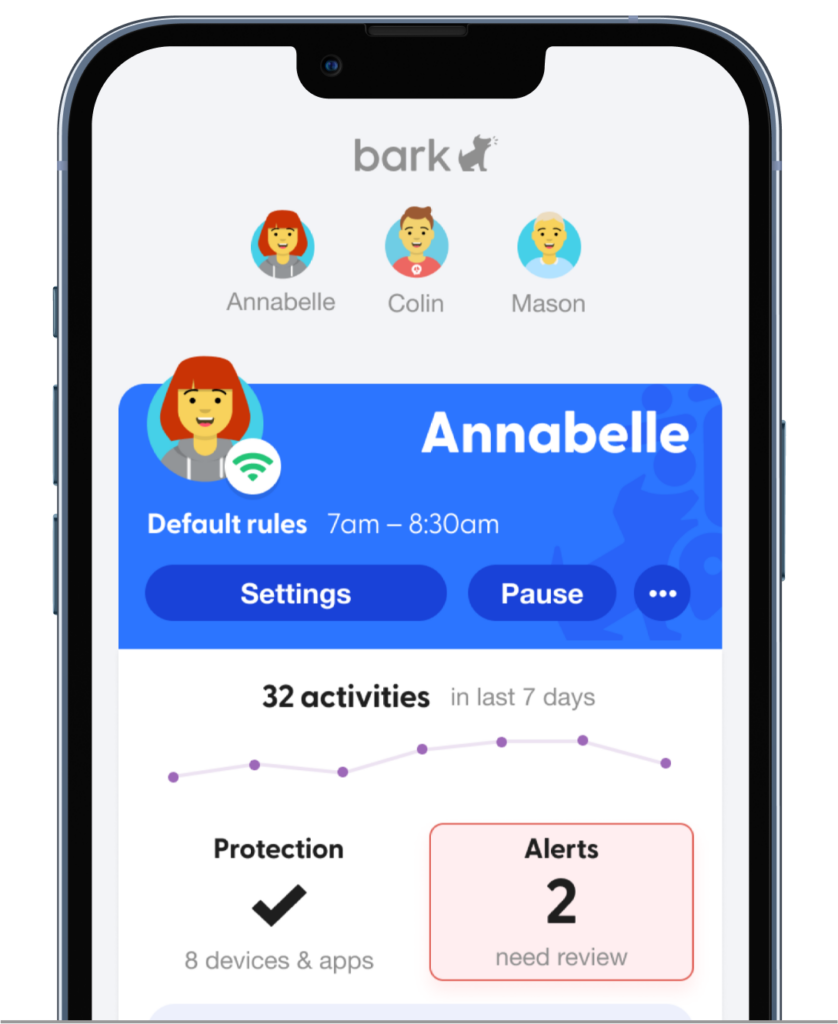
3. Bark — Best for social media monitoring
Focuses on alerting parents to concerning content across social apps, texts and email.
Specs: Price: $99/year ($14/month) · Best for: Monitoring 30+ apps · Devices: Android, iOS, Fire, Chromebook · List price: $99
Pros:
- Unlimited devices
- Alerts for risky content
Cons:
- Limited monitoring on iPhone for some apps

4. Norton Family — Best for school time
A trusted security brand with a handy mode that limits devices to schoolwork.
Specs: Price: $49.99/year · Best for: Homework hours · Devices: Windows, Android, iOS · List price: $49.99
Pros:
- School Time mode
- 60-day money-back guarantee
Cons:
- No Mac support

5. FamiSafe — Best for teen drivers
Adds driving safety reports for families with new teen drivers.
Specs: Price: $59.90–$159.99/year · Best for: Driving reports · Devices: Windows, Mac, Android, iOS, Kindle, Chromebook · List price: $59.90
Pros:
- Driving speed and braking reports
- Detects hidden apps
Cons:
- Short trial
How to choose parental control apps
What you need to manage
Screen-time limits and app blocking cover most younger kids. Tweens on social apps may need alerts for bullying or risky content.
Devices
Check support for every device your child uses: iPhone, Android, Chromebook, Fire tablets and consoles.
Privacy and trust
Some apps alert you to concerns without showing every message, which can respect a tween’s privacy while keeping them safe.
Free options first
Apple Screen Time, Google Family Link and Microsoft Family Safety are free and may be enough for young kids.
FAQ
Can kids get around parental controls?
Determined kids sometimes can. Combine controls with house rules and regular conversations.
What age should I start?
Set controls when a child gets their first device, then loosen them as they show responsibility.
Leave a Reply